


Knowing how to choose a dash cam matters more than knowing which model is popular this week, because the specification that sells a dash cam is almost never the one that decides whether the footage is usable. Resolution is printed in large type on the box. Whether the camera can read a number plate at night, or survive a summer parked in the sun, is not.
SaveItMore is reader-supported. If you buy through a link on this page we may earn a commission, at no extra cost to you.
Everything in how to choose a dash cam follows from one fact. A dash cam earns its place exactly once — in the ninety seconds after something goes wrong. The rest of the time it sits behind the mirror doing nothing. These are the seven checks that decide whether it does its job on the day it matters.
1. Night performance beats resolution
The first thing to settle when working out how to choose a dash cam is how it behaves in the dark. Most crashes and most parking incidents that get disputed happen in poor light — dusk, rain, an underground car park, a badly lit street. A 4K camera with a small, cheap sensor can produce footage that looks sharp on a bright day and turns into an unreadable smear of headlight glare at night.
What you are really looking for is the sensor and the aperture, not the pixel count. A 1440p camera on a good sensor with a wide aperture usually reads plates at night better than a 4K camera on a weak one. HDR or WDR helps too: it stops oncoming headlights blowing out the whole frame.
A practical test when comparing models: find night footage of the camera on video, not daytime footage. Every dash cam looks fine at noon.
2. Field of view: wide, but not too wide
The second thing to settle when working out how to choose a dash cam is how much of the road you want in frame. Most sit between 140 and 170 degrees.
Around 140-160 degrees is the sweet spot. It covers your lane and the two beside it, keeps a car that cuts across your bonnet in shot, and still puts enough pixels on a number plate to read it.
Above 170 degrees starts to hurt. The extra angle is bought by stretching the image, which pushes detail to the edges and shrinks whatever is straight ahead — the exact spot where the plate you need usually sits.
Wider is not better. Wider is a trade.
3. One camera, two, or three
Part of how to choose a dash cam is deciding how many lenses you actually need, and the honest answer depends on what you drive for.
Front only. Cheapest, simplest, and enough if your main concern is the car in front of you and insurance disputes about who hit whom.
Front and rear. The upgrade most drivers should make. Rear-end shunts are one of the most common collision types, and a rear camera is the only thing that shows the car behind was not where the driver later says it was. The rear unit connects by a long cable run to the back window.
Front, rear and cabin. Built for rideshare and delivery drivers, where what happened inside the car is as likely to be disputed as what happened outside. For a private car it is usually a camera you turn off.
Worth knowing: your car probably already records a small amount of crash data on its own. NHTSA’s report on light-vehicle event data recorder technologies explains what an EDR captures in the seconds around a crash — speed, braking, belt use. What it does not capture is the scene. That is the gap a dash cam fills.
4. Parking mode, and how it is actually powered
This is where most dash cam buying goes wrong. Parking mode — recording while the car is off — is advertised on nearly every model, but it only works if the camera has power with the ignition off, and a cigarette-lighter socket in most cars does not.
If parking protection is why you are working out how to choose a dash cam at all, this is the section to read twice. There are three ways to power it:
- A hardwire kit. The camera taps the fuse box and runs off the car battery, with a low-voltage cut-off that stops it draining the battery below a set level. This is the proper solution and the one most parking modes assume.
- A dedicated battery pack. More expensive, but it never touches the starter battery. Best for cars that sit for days at a time.
- An always-live socket. Some cars keep one socket powered with the ignition off. Convenient, but there is no cut-off, so a flat battery is your problem.
Also check what parking mode actually does. Buffered motion or impact detection saves the seconds before the event as well as after, which is the difference between footage of a car already driving away and footage of it hitting you. Time-lapse parking mode records continuously at a low frame rate and eats far less card space.
5. Storage: the card is part of the camera
People working out how to choose a dash cam almost always forget the card, and it is the part most likely to let them down. A dash cam overwrites its card continuously, all day, for years. An ordinary microSD card is not built for that and will fail quietly — usually discovered on the day you go looking for a clip.
- Buy a high-endurance card, sold specifically for dash cams and security cameras. It costs a few dollars more and is rated for vastly more write cycles.
- Check the maximum card size the camera supports before you buy the card. A camera that tops out at 128GB will not read a 256GB card.
- Size it to your driving. A rough guide for 1440p front-and-rear is about an hour of footage per 16GB, so a 128GB card holds roughly a long day before it starts looping.
- Format it in the camera every couple of months. Most units have a reminder; most people ignore it. Formatting is what keeps the file system healthy.
6. Supercapacitor or battery — heat decides it
The least obvious step in how to choose a dash cam is checking what holds the power when the engine stops. Every dash cam needs a little stored power to finish writing the last file when the engine cuts. Cheap ones use a small lithium battery. Better ones use a supercapacitor.
The reason this matters is temperature. A windscreen in full sun is one of the harshest places in a car, and lithium batteries age badly in that heat, swell in extreme cases, and lose the ability to close a file cleanly. Supercapacitors tolerate both heat and cold far better and last much longer.
If the car lives outdoors in a hot climate, treat a supercapacitor as close to non-negotiable. It is the single spec most closely linked to how many years the camera survives.
7. GPS, app and the features that are mostly noise
The last stretch of how to choose a dash cam is separating the features that earn their money from the ones that only fill a spec sheet.
Worth paying for:
- GPS. Stamps speed and location onto the footage. In a disputed claim, proof of your speed is often more valuable than the video itself.
- Wi-Fi and a decent app. How you get a clip off the camera at the roadside without pulling the card and finding a laptop. Read app reviews, not camera reviews — this is where budget models fall apart.
- A capable G-sensor with adjustable sensitivity. It locks a file on impact so the loop cannot overwrite it. Set too high, every pothole locks a file and the card fills with nothing.
Mostly noise: built-in screens (nice for aiming the camera on day one, unused after that), voice control, driver-assist warnings bolted onto a camera that is not integrated with your car, and any resolution claim attached to a no-name sensor.
Fitting it so it stays fitted
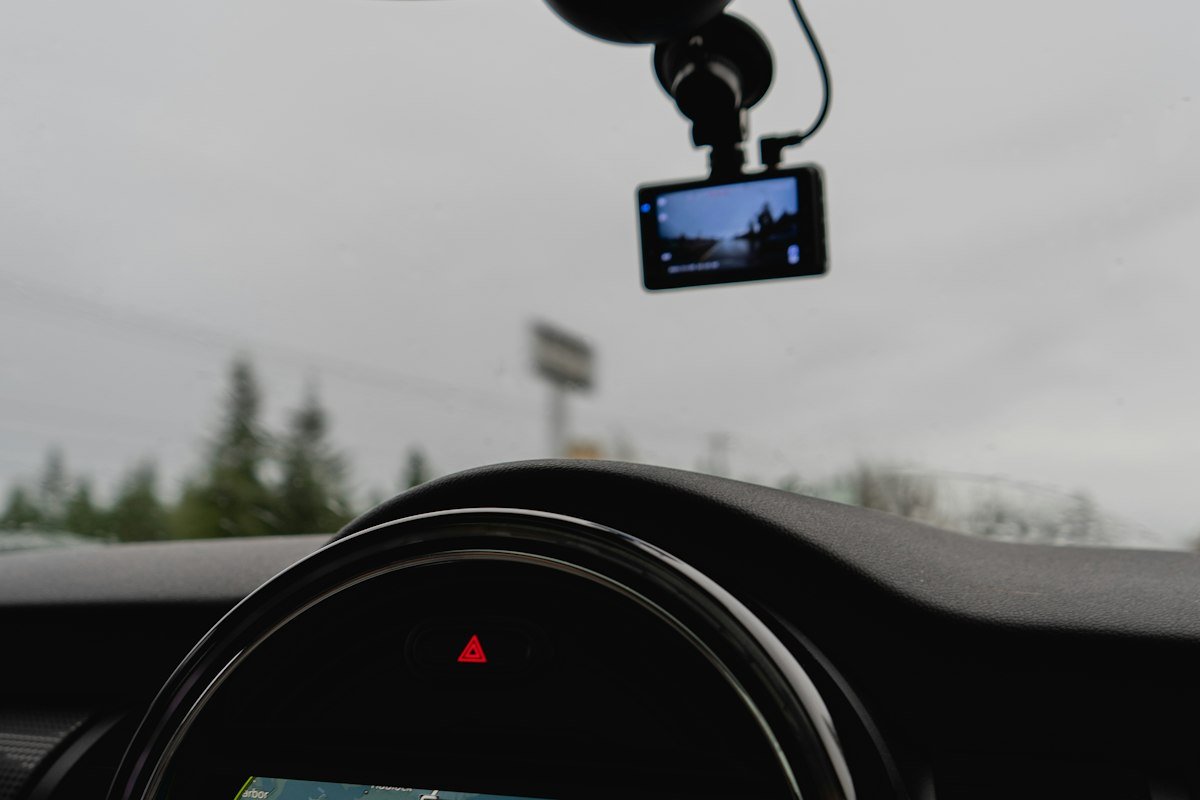
- Mount it behind the rear-view mirror. Out of your eyeline, inside the wiper sweep, and central for the best view of both lanes.
- Check your local windscreen rules. Where a camera may legally sit on the glass varies by state and country, and the tucked-behind-the-mirror position is the one that satisfies most of them. Knowing how to choose a dash cam counts for little if it is mounted somewhere it cannot legally stay.
- Tuck the cable into the headliner and down the A-pillar trim. A cable hanging across the dashboard gets pulled, and the camera comes down with it.
- Avoid the airbag path. Never route a cable across an airbag cover or through the pillar where a curtain airbag deploys.
- Clean the glass first. Adhesive mounts fail on a dusty or greasy windscreen, almost always on the first hot day.
How to pay less on a dash cam
The last part of how to choose a dash cam is not a spec at all — it is when and how you buy. Dash cams follow the same discount pattern as most car electronics: the bundle is usually where the saving sits, and the accessories are where the markup sits.
- Buy the bundle, not the parts. A camera sold with its hardwire kit and a card is nearly always cheaper than buying the three separately, and it guarantees the kit matches the camera.
- Check the store page before you check out. Rexing’s live coupons and deals on SaveItMore lists that brand’s current offers, taken from the store’s own affiliate feed rather than a scraped list.
- Do not pay camera-brand prices for a memory card. A branded high-endurance card from a card maker is usually cheaper than the same capacity sold as an accessory.
- Buy last generation deliberately. Dash cam model cycles are fast and the improvements are small. The outgoing model is frequently the best value on the page.
- Compare the code against the sale price. Sitewide codes often exclude items already discounted, so the deeper of the two is what you want — not both. Our guide to finding verified coupon codes covers how to check a code is genuine before you rely on it.
Frequently asked questions
Is a dash cam worth it?
For most drivers, yes — largely because it removes the argument, which is why how to choose a dash cam is worth ten minutes of reading rather than a blind click on the cheapest one. A disputed claim usually turns on whose account the insurer believes. Footage replaces the argument with a recording, and that is worth more than the camera costs.
Does a dash cam drain the car battery?
Not while you are driving. In parking mode it can, which is why a hardwire kit with a low-voltage cut-off matters — it shuts the camera off before the battery drops too low to start the car.
How long does dash cam footage stay on the card?
Until the loop overwrites it, which is usually a day or two for a 128GB card at 1440p. Files locked by the G-sensor or saved manually are kept out of the loop, but they are not kept forever — copy anything important off the card the same day.
Do I need 4K?
Rarely — and this is where how to choose a dash cam most often goes wrong. A good 1440p sensor produces more usable night footage than a poor 4K one, at a fraction of the card space. Spend the money on the sensor, the supercapacitor and the rear camera before the resolution.
Will a dash cam lower my insurance?
Some insurers offer a discount, many do not, and the ones that do rarely offer much. Treat any discount as a bonus rather than the reason to buy.
Can I use a dash cam as a security camera when parked?
Within limits. Parking mode records impacts and motion near the car, which is enough to catch a car-park shunt or someone trying a door handle. It is not a substitute for a proper security camera, and it needs a power source that survives the ignition being off.
How to choose a dash cam: the short version
Working out how to choose a dash cam comes down to three things in order: can it read a plate in the dark, does it have power when the engine is off, and is it built to survive a hot windscreen. Resolution, screens and voice control all sit well below those. Get the three right and a mid-priced front-and-rear camera on a high-endurance card will quietly do its job for years — and cost you nothing but the day you fitted it.
If you are buying one as a present rather than for yourself, it also lands on our list of practical gift ideas for men, alongside the road-trip gear in our camping gift ideas guide.