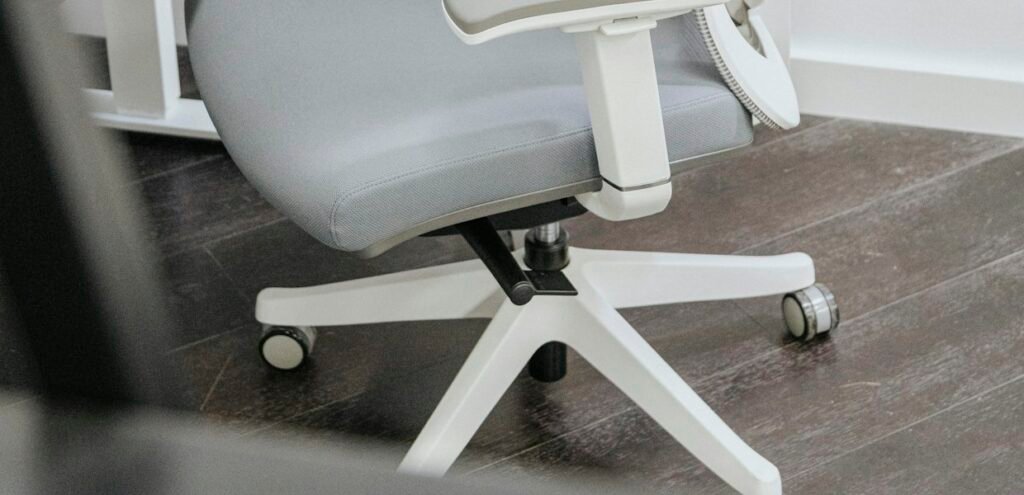
If you spend more than six hours a day sitting at a desk, your chair is doing more work than almost anything else in your home office. A well-built ergonomic office chair can genuinely reduce lower back pain, shoulder tension and the afternoon slump that comes from sitting in an unsupportive seat for too long. A poorly built one can quietly undo whatever else you’ve done to set up a healthy workspace.
SaveItMore is reader-supported. If you buy through a link on this page we may earn a commission, at no extra cost to you.
The challenge is that “ergonomic” gets stamped on almost every chair sold today, whether it’s actually adjustable in the ways that matter or not. Here’s what to check before you buy one.
What Makes an Ergonomic Office Chair Actually Ergonomic
A genuinely ergonomic office chair adjusts to fit your body, not the other way around. That means seat height, seat depth, lumbar support position, armrest height and width, and backrest tilt tension should all be independently adjustable. A chair that only offers height adjustment and calls itself ergonomic is really just an adjustable chair with good marketing.
The Adjustments That Actually Matter
Lumbar Support
Lower back support should sit at the natural curve of your spine, roughly at belt height, and ideally should move up, down and sometimes in depth to match your specific torso length. Fixed, non-adjustable lumbar bumps help some people and do nothing for others, since spine curves vary more between individuals than most chair design assumes. Mayo Clinic’s office ergonomics guide covers the broader posture principles a good chair should support.
Seat Depth
There should be two to four finger-widths of space between the back of your knees and the edge of the seat when you’re sitting all the way back. A seat that’s too deep forces you to either sit without back support or sit with constant pressure behind your knees, both of which cause problems over a full workday.
Armrest Height and Width
Armrests should let your shoulders stay relaxed, not hunched up or dropped down, with your elbows close to your sides at roughly a 90-degree angle. Width adjustment matters too, especially if you use a keyboard and mouse at different widths than the chair’s default setting assumes, and pivoting armrests can help further by letting your forearms angle naturally toward the keyboard rather than sitting parallel to the desk edge.
Recline Tension and Lock
A good recline mechanism should let you set resistance to your own body weight rather than offering just one or two preset tension levels, and should let you lock the recline angle rather than only free-floating.

Ergonomic Office Chair or Standing Desk First?
These two purchases often get framed as competing priorities, but they solve different problems. A standing desk changes your posture by letting you alternate between sitting and standing through the day, which helps circulation and reduces the total hours spent in any one position. An ergonomic office chair improves the quality of the sitting time you still have, which for most people is still the majority of a workday even with a standing desk in the room.
If you can only afford one upgrade this year, prioritize whichever is currently causing you the most discomfort. Chronic lower back or hip pain while sitting points to the chair; stiffness and fatigue from staying in one position all day points to the desk.
Materials Worth Paying Extra For
Mesh backs breathe better than foam and padded backs, which matters if you run warm or work in a room without strong air conditioning. Higher-density foam in the seat cushion holds its shape far longer than cheap, thin padding, which tends to flatten and lose support within a year or two of daily use. Metal and reinforced nylon bases generally outlast all-plastic bases, especially under frequent height or tilt adjustment. If you’re furnishing more than just the desk chair, our furniture buying guide covers what to look for room by room.
Budget, Mid-Range or Premium: What Changes at Each Price Tier
Price correlates fairly closely with how many of these adjustments you actually get. Here’s roughly what to expect at each level:
Sizing: Don’t Ignore Your Own Measurements
Most ergonomic office chairs are designed around average adult proportions, which means taller or shorter users, and heavier or lighter users, often need a specific size variant rather than the standard model. Check the manufacturer’s recommended height and weight range before buying, since a chair rated for 250 lbs that you load to 245 lbs will wear out its gas cylinder and mechanisms far faster than one with real headroom in its rating.
Where to Find a Good Ergonomic Office Chair
Autonomous is one of the more recognizable direct-to-consumer brands building fully adjustable ergonomic chairs and standing desks, and it’s worth checking the current free-shipping offer on Autonomous chairs before you order, since a current discount code can meaningfully offset the cost of a higher-end chair. If you’re also reconsidering your desk setup, our standing desk height guide and new PC setup checklist both cover related parts of a healthier home office.
Common Mistakes When Buying an Ergonomic Office Chair
Even a genuinely well-built ergonomic office chair gets undermined by a few avoidable habits. Here’s what to watch for:
- Buying based on looks alone: A sleek-looking mesh chair with no real lumbar adjustment can be worse for your back than a plain, fully adjustable budget chair.
- Setting it once and forgetting it: Most people set their chair height on day one and never revisit the lumbar position, seat depth or armrest width as their posture or desk setup changes.
- Ignoring the weight and height rating: Buying a chair rated right at your own weight gives it no margin and shortens the life of the gas cylinder.
- Skipping the trial period: Many ergonomic chair brands offer a 30-day trial specifically because fit is personal. Use it rather than assuming you’ll adjust to a chair that feels wrong in the first week.
Frequently Asked Questions
What makes an office chair genuinely ergonomic rather than just comfortable?
A genuinely ergonomic office chair offers independent adjustment for seat height, seat depth, lumbar support position, armrest height and width, and recline tension, so it can be tuned to your specific body rather than a generic average.
Is mesh or foam better for an ergonomic office chair?
Mesh breathes better and suits warmer climates or people who run hot, while high-density foam can feel more supportive and plush for long sitting sessions in cooler environments. Both can be ergonomic if the underlying adjustments are there.
How much should I expect to spend on a proper ergonomic office chair?
Chairs with genuinely independent adjustments for lumbar, seat depth and armrests typically start in the low hundreds of dollars and go up from there, since that level of adjustability costs more to engineer than fixed-shape chairs.
Do I need a headrest on an ergonomic office chair?
A headrest helps mainly during reclined breaks rather than active work, since your head should stay upright and balanced over your spine while typing. It’s a nice-to-have rather than a core ergonomic requirement.
How do I know if my current chair is contributing to back pain?
If you notice your lower back rounding forward by mid-afternoon, or you find yourself perched on the edge of the seat rather than using the backrest, your chair likely isn’t supporting your natural posture and is worth reassessing.
Should I buy an ergonomic chair and a standing desk at the same time?
If your budget allows it, pairing both gives you the most flexibility, since you can adjust posture while sitting and also change position throughout the day. If you have to choose one first, pick based on whichever discomfort is currently more frequent or severe.
The Bottom Line on Buying an Ergonomic Office Chair
An ergonomic office chair is worth the extra cost when the adjustments are real: independent lumbar, seat depth, armrest and recline controls rather than a single lever and a marketing label. Try before you commit when you can, check the weight and height rating against your own numbers, and don’t settle for the first ergonomic office chair you see without comparing what each price tier actually gives you.